Product
Forms
Multi-page form builder with ~30 field types, conditional logic, and live preview. Public submitters fill them out at /share/<slug>.
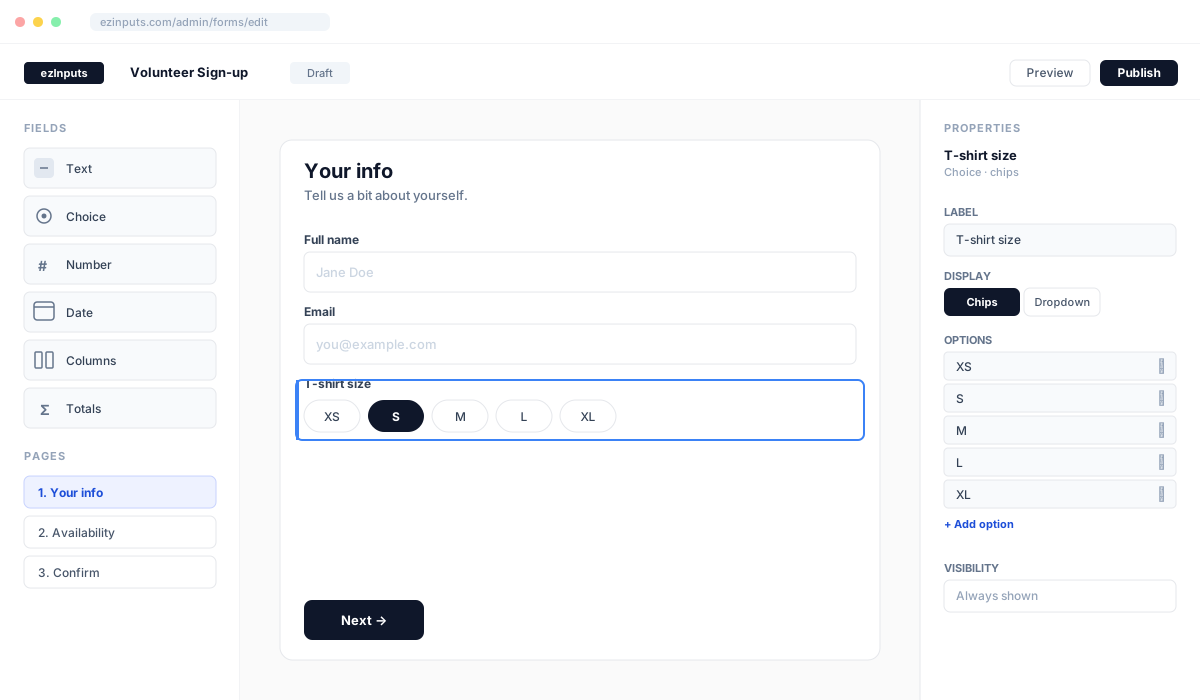
Field catalog
Text
text · textarea · email · phone · url
Choice
select (dropdown / chips / cards / radio) · multiSelect · boolean
Number & date
number · currency · date · time · rangePicker · hoursPair
Scheduling
schedule · scheduleV2 · signupSlot · calendarSelection
Composite
repeater · container · group · estimateWorksheet · resume (the Resume kit)
Display & totals
markup · image · divider · totals (formula DSL) · totalsV2 (canvas-edited metric tiles)
Form lifecycle
Build
Drag & drop fields
Logic
Conditional rules
Publish
Public /share URL
Collect
Review submissions
Visibility & logic
Fields and entire pages can be conditionally shown via a JSON expression. Example: only show "T-shirt size" when "Need a shirt?" is yes.
Page-level rules use the same DSL via logicRules.
Grouping on My submissions
A member's My submissions deals each year's forms into sections. Forms in one groupshare a section: three inload forms become one “Inload” section rather than three boxes. The group is one setting, renderSettings.family, in three states.
- Left empty (the default) — the form inherits its group from the starter kit it was made from, or, for a hand-built form, from its fields: a schedule grid with a totals dashboard is an inload form. Nothing to set for the common case.
- A name— the form joins every other form with that name, spelling and case aside. Set it in the builder under Settings › Grouping, or for several forms at once from the Form builder list's selection bar (“Group with…”).
- Don't group — the form gets a section of its own even when its kit would have grouped it.
The forms list shows each form's group as a chip; clicking one narrows the list to that group. Via the connector, update_form_settings takes the same three values (a string, null, false) on renderSettings.family.
Concurrency & revisions
Without revisions
Two tabs (or MCP + UI) save back-to-back. The later write silently overwrites the earlier one. User's edits disappear.
With ezInputs
Every form carries a revision counter. A stale write returns 409 + an auto-refresh prompt. Nothing gets clobbered.
Building forms via Claude
See the MCP overview for the full list of form tools and how snapshot / restore work.